

cTrader Platform Review for Indian Traders
Explore cTrader's smart tools, multiple account options & mobile access 🎯 Perfect for Indian forex & CFD traders seeking a clear edge in the market.
Edited By
Emily Dawson
cTrader is gaining popularity among Indian traders for its clean layout and advanced trading tools. Whether you are into forex, commodities, or indices, this platform offers a flexible interface that suits different trading styles.
For Indian traders looking to get a functional, fast, and user-friendly platform, cTrader is worth considering. It runs smoothly on multiple devices, including Windows PCs, iOS, and Android mobiles, allowing you to trade anytime without hassle.
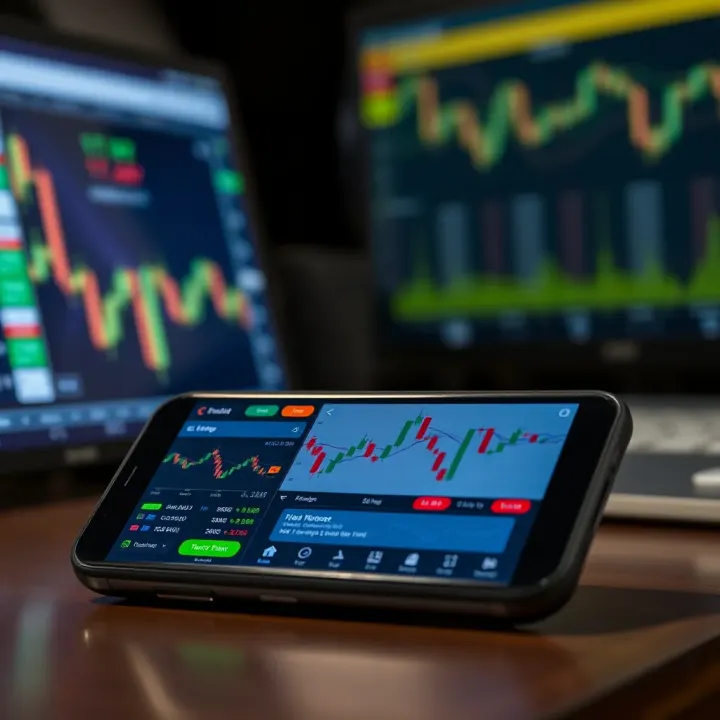
Before downloading cTrader, ensure your device meets the system requirements. For Windows, this means having at least Windows 7 or later with 2 GB RAM and 200 MB of free disk space. On mobiles, Android devices should run on 5.0 Lollipop or above, while iPhones need iOS 11 or newer. Having a stable internet connection is crucial to avoid delays or data loss during live trading.
Downloading the platform is straightforward: Indian traders can visit the official cTrader website or respective app stores to get the latest version. Make sure to download only from trusted sources to keep your devices secure.
A smooth setup saves you from frustrating glitches later. Take a moment to check your computer or mobile configuration, and update the software if needed before installation.
Once installed, cTrader allows easy customisation of charts, alerts, and automated trading strategies. You can also link your account to Indian brokers offering cTrader, expanding your market access.
This guide will take you through the detailed download process, installation tips, and show which features stand out for traders in India. By the end, you'll be ready to operate cTrader confidently on your preferred device.
cTrader has grown popular for its clarity and robust features, making it essential for traders—especially in India—to understand what it offers before getting started. Getting familiar with its benefits helps traders make better decisions and use the platform effectively for their trading goals.
cTrader is a trading platform designed for forex and CFD (Contract for Difference) markets, known for its user-friendly interface and advanced trading tools. Unlike platforms that overload you with unnecessary features, cTrader balances simplicity and power, providing fast execution and detailed charting. For example, Indian traders looking to trade currency pairs like USD/INR or EUR/USD can rely on its real-time price updates and quick order execution without delays, which is critical for volatile markets.
One big plus of cTrader is its emphasis on transparency and speed. It offers features like Level II pricing, which shows the depth of the market—something not all platforms provide. This helps traders understand order flows and liquidity. Also, its automation through cAlgo enables those familiar with coding to run trading robots and custom indicators, a functionality that often comes at a higher cost on other platforms.
Compared to older platforms like MetaTrader 4, cTrader provides an uncluttered interface without sacrificing advanced options. In addition, Indian traders benefit from cTrader's multi-asset capabilities, allowing trading in forex, commodities, and indices all in one place, avoiding juggling between different software.
Indian retail traders, many of whom are relatively new to online trading, find cTrader accessible due to its intuitive design. The platform supports multiple Indian brokers, which means seamless integration with local regulations and payment methods such as UPI or NEFT for deposits and withdrawals.
cTrader also supports features like one-click trading and advanced stop-loss options, which can help manage risk effectively—a priority for many cautious Indian investors. Furthermore, it handles volatility well, an important point given the fluctuations in the Indian rupee and the wider global financial climate.
For Indian traders, choosing the right platform is not just about features but also about reliability, ease of use, and support for local brokerage requirements—areas where cTrader scores well.
In summary, understanding cTrader's core functions and benefits equips Indian traders to use the platform to its full potential, helping improve trading outcomes and confidence in rapidly changing markets.
Before you jump into downloading cTrader, it's essential to understand the prerequisites and system requirements. These ensure the platform runs smoothly and securely on your device, offering the best trading experience without frustrating delays or errors. For Indian traders, who might use a mix of devices and internet connections, knowing these details helps avoid compatibility issues.
cTrader supports a variety of devices: Windows and Mac desktops or laptops, and mobile devices running Android or iOS. For Windows, you'll need at least Windows 7 or later, though Windows 10 and 11 provide better stability. On the Mac side, the platform supports macOS Mojave (10.14) and above. For mobile trading, any Android phone with version 6.0 (Marshmallow) or higher and iPhones running iOS 12 or later will work fine.
If you’re still using older versions, like Windows XP or below iOS 12, the app may not function properly or might not install at all. So, do check your device's operating system before downloading cTrader. If you have a lower-end mobile phone or very old laptop, consider upgrading since running modern trading software on outdated hardware can slow down your work considerably.

A reliable internet connection is a must. Trading requires real-time market updates, and any lag or disconnection could lead to missed opportunities or worse, losses. A broadband connection with at least 4 Mbps speed will typically suffice. For those in tier-2 or tier-3 cities where internet stability can vary, try to use either wired connections or 4G networks rather than slower or unstable Wi-Fi.
Regarding hardware, your device should have a minimum of 4 GB RAM, but 8 GB or more is preferable for smooth multitasking with several charts and indicators open.
For Windows and Mac users, a minimum of 2 GHz processor speed is advisable. Mobile users should ensure the phone isn’t overloaded with apps that slow down performance — clearing cache periodically helps.
You cannot just download cTrader and start trading immediately. You need a valid trading account with a broker that supports cTrader. Not all Indian brokers offer this platform, so check with your broker first. Platforms like IC Markets, FxPro, or Pepperstone are examples of brokers that support cTrader globally, but availability varies in India.
Registration typically involves submitting KYC documents — PAN card, Aadhaar, and bank details — complying with Indian regulations. Once your broker approves your account, they will provide login credentials specifically for the cTrader platform.
Ensure your broker's cTrader version matches the software you download to avoid login or connectivity issues.
Clear understanding of these prerequisites reduces setup frustration and lets you focus on trading smartly. Having the right device, internet speed, and a compatible broker account is the foundation for using cTrader efficiently in India's varied trading environment.
Following a proper guide to download and install cTrader makes all the difference between a smooth start and facing avoidable technical hiccups. For Indian traders, where connectivity, device choice, and broker compatibility vary, having clear steps tailored to Windows, Mac, Android, and iOS helps save time and reduces confusion. This section walks you through the exact procedures to get cTrader up and running, so you can focus on trading without wrestling with setup troubles.
On Windows and Mac, cTrader provides desktop applications optimised for fast execution and advanced charting. Start by visiting the official cTrader website or your broker's platform that supports cTrader. Look for the download section and select either the Windows or Mac installer file, depending on your device.
After downloading, locate the installer in your 'Downloads' folder and double-click it to begin. The setup wizard guides you through installation — generally straightforward, but ensure you have administrator rights to allow the software to install properly. For Windows, the installer supports versions from Windows 7 onwards, while Mac users should be on macOS 10.13 or higher.
Once installed, launch the app and check for any updates prompted immediately. This ensures compatibility with your broker's servers and access to the latest features.
cTrader also caters well to mobile traders, with apps available on Google Play Store for Android users and the Apple App Store for iPhone users. In India, where mobile trading is surging, these apps let you trade on the go efficiently.
Search 'cTrader' on your mobile’s app store, verify the developer (Spotware Systems), and tap 'Install' or 'Get'. To work smoothly, the Android app requires version 5.0 or above, while iOS apps need iOS 11.0 or later. After installation, open the app to begin setup.
Mobile installations benefit from automatic updates, so your app stays current without manual hassle—a handy feature amid fluctuating internet conditions.
After installing cTrader on any device, the next step is logging in to connect your trading account. Your cTrader access depends on account credentials from a cTrader-compatible broker. Use the broker’s server details to locate your account during login.
Enter your username and password, then select the correct server location. An example: if your broker operates on servers in London or New York, choose accordingly to ensure lower latency.
Once logged in, set up your profile by configuring language, chart preferences, and notification settings. Also, link your trading account fully by verifying details with your broker to activate live feeds and order execution.
Remember, incorrect login details or server choices may prevent connection. Always confirm these particulars with your broker before attempting to log in.
Having cTrader installed and your account set up properly means you’re ready to tap into its features—smart order execution, intuitive charts, and automation. This step-by-step method eliminates guesswork, making the start of your trading experience seamless and efficient.
Optimising cTrader is essential for traders aiming to maximise the platform's potential and enhance their trading efficiency. Customising the interface, utilising its advanced tools, and integrating automated trading can lead to faster decision-making and better market insights, crucial for Indian traders dealing in volatile markets like NSE and BSE.
Personalising the cTrader interface allows traders to focus on what matters most. You can arrange charts, watchlists, and trading panels according to your workflow. For example, if you prefer scalping on the forex section, placing the chart and order entry side by side saves time. You can choose from light or dark themes to reduce eye strain during long sessions. Moreover, setting alert notifications on price levels or trade executions helps you react quickly without constantly monitoring the screen.
cTrader offers a broad range of technical indicators such as Moving Averages, RSI, MACD, and Fibonacci Retracements, which are vital for analysing market trends. Indian traders can combine these indicators to create personalised strategies. For instance, when trading Nifty futures, using RSI for overbought/oversold conditions alongside volume indicators can confirm entry points better. The platform also supports multiple chart types and timeframes, enabling better analysis of intraday and positional trades.
Automated trading through cAlgo helps eliminate emotional bias, ensuring trades execute based on preset rules. Indian traders can develop or use existing Expert Advisors (EAs) that execute strategies like trend-following or mean reversion automatically. For example, an EA could place stop-loss and take-profit orders without intervention, reducing losses during sudden market fluctuations. cAlgo also supports backtesting, allowing traders to test strategies against historical data before real deployment, thus improving confidence and performance.
Optimising your cTrader setup not only streamlines trading but also sharpens your approach with the platform’s sophisticated features, giving you a competitive edge in India’s dynamic financial markets.
Taken together, these optimisation steps turn cTrader from a simple platform into a powerful tool tailored for your trading style and Indian market specifics. Make sure to explore these features to make the most of your trades on NSE, BSE, and global instruments accessible through your broker.
Handling glitches and keeping your trading platform updated are vital for a smooth trading experience. When it comes to cTrader, Indian traders often face issues during installation or login, which can hinder their trading activities. Addressing these problems quickly not only saves time but also ensures you don't miss critical market moves. Regular updates improve platform stability and security, essential when trading sizable positions or using automated strategies.
Installation hiccups usually stem from compatibility issues or incomplete downloads. Make sure your device meets cTrader’s system requirements—Windows 7 or higher, macOS 10.10 or above, and sufficient free space. Sometimes, antivirus programmes on your computer or mobile block installations, so temporarily disabling them during setup can help.
For login troubles, verify your internet connection and broker credentials. Forgotten passwords can be reset effortlessly through the ‘Forgot Password’ option. Also, if two-factor authentication (2FA) is enabled, ensure your authentication device or app works correctly. In case of persistent issues, clearing cache or reinstalling the app often resolves conflicts.
An example: A trader in Mumbai had repeated login failure due to an outdated broker plugin incompatible with the latest cTrader version. Updating the broker plugin restored access immediately.
Ignoring updates can leave your platform vulnerable to bugs, security risks, or missing new features. cTrader regularly releases updates improving charting tools, order execution speed, and patching security loopholes. Indian traders should check for updates at least once a week.
Updates happen automatically if you use the mobile app from Google Play or Apple App Store. For desktop versions, visit your broker’s website or the official cTrader site. During update installation, avoid interrupting the process, as this can corrupt files and cause further errors.
Besides platform updates, keep your device’s operating system and antivirus software current to maintain overall security.
cTrader offers multiple support channels to resolve your queries swiftly. Brokers authorised by SEBI (Securities and Exchange Board of India) often provide dedicated customer support teams familiar with local demands. Reach out to them first for account-related issues.
For technical assistance, cTrader’s official help centre and community forums are valuable. The forums showcase discussions on common problems, tips, and custom indicators useful for Indian traders adapting to local market nuances.
Further, several Indian financial websites and YouTube channels regularly publish tutorials and walkthroughs on cTrader usage tailored for the Indian context, including GST implications and trading during Indian market holidays.
Remember, maintaining close contact with your broker and leveraging official resources will keep your cTrader experience efficient and secure.
Explore cTrader's smart tools, multiple account options & mobile access 🎯 Perfect for Indian forex & CFD traders seeking a clear edge in the market.

Explore QXBroker.com: services, fees, platforms, & security analyzed for Indian traders. Get honest insights to guide your trading decisions 📈🇮🇳

Explore Quotex support for Indian traders: contact options, quick responses, common issues, safety tips, and how to enhance your trading experience 📈📞🇮🇳

📥 Learn how to download and install Quotex on your PC with ease. Discover system requirements, key features, & tips for smooth online trading! 💻📈
Based on 11 reviews