
Understanding RBI Approved Trading Apps for Indian Investors
Explore RBI-approved trading apps in India 🇮🇳 Learn why RBI approval matters, how to spot legit platforms, stay secure, and trade confidently.
Edited By
Emily Dawson
For traders in India, the choice of a mobile phone can directly influence the quality of market decisions. A good trading phone needs to keep pace with the fast-moving stock market environment, offering real-time data updates without lags or interruptions. Given the proliferation of trading apps like Zerodha Kite, Upstox, and Groww, your phone’s capability to handle app performance smoothly becomes essential.
Trading phones are not just about the latest brand or flashy features; rather, their core lies in functional strengths such as quick processing, clear displays, long battery life, and steady connectivity. Without these, delays in price updates or app crashes could lead to missed opportunities or financial loss.
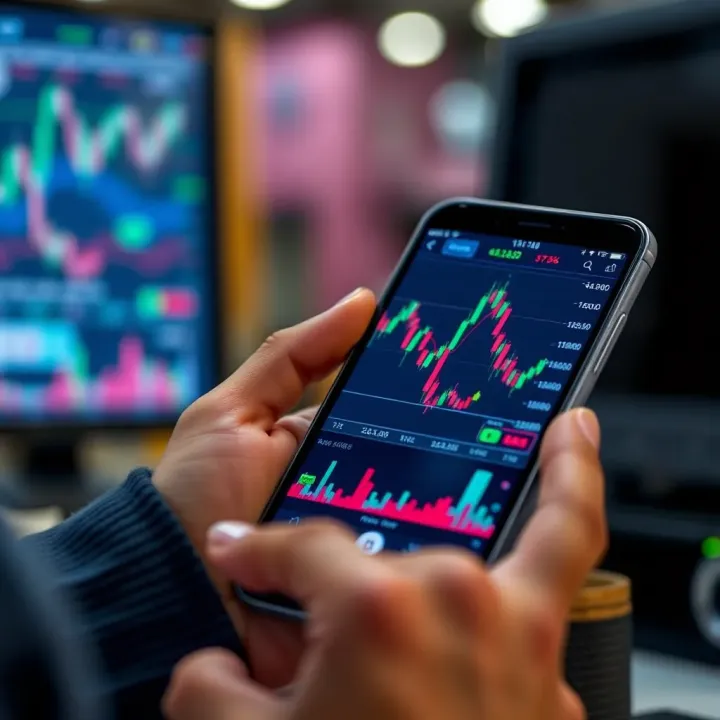
For traders, the device is more than a phone—it is a tool that needs to be fast, reliable, and always ready.
This guide will take you through what features to focus on to pick the best trading phone suited to your needs, whether you are a day trader constantly monitoring the markets or a long-term investor tracking portfolios. We will also review options ranging from pocket-friendly models to premium phones that can handle high-frequency trading apps and multitasking effortlessly.
Make sure you choose a phone that helps you stay ahead, not one that slows you down just when the markets get volatile. Your trading calls depend on it.
Picking the right trading phone is no small matter for active traders in India. The phone you choose directly impacts how quickly you get market updates, how smoothly trading apps run, and how comfortably you can track charts throughout long sessions. Below, we break down the key features that matter most for mobile trading, focusing on performance, display quality, battery life, and connectivity.
Trading apps like Zerodha Kite, Upstox, or Angel One need fast processors to handle real-time data streams without lag. A brisk processor reduces delays when placing orders or switching between charts and news feeds. For instance, phones with Snapdragon 700 or 800 series chips, or equivalent MediaTek Dimensity chips, tend to offer smooth trading experiences even under heavier app loads.
When you run multiple apps—charts, market news, and messaging—having at least 6GB RAM helps avoid slowdowns. Insufficient RAM can cause apps to reload, disrupting workflow during crucial market moves. Multitasking becomes especially important during volatile sessions when you might monitor stocks while chatting with brokers simultaneously.
Trading apps and data cache require enough storage, but storage speed matters too. Phones with UFS 2.1 or higher storage standards read and write data faster, improving app responsiveness. Opting for a minimum of 128GB storage ensures room for apps, screenshots, and offline data without constant cleanup.
A sharp screen with at least Full HD+ resolution lets you clearly view detailed candlestick charts or order books. This clarity matters more when monitoring multiple stock movements or technical indicators on small screens.
Traders frequently check the market on the go, so a screen size between 6.2 and 6.7 inches offers a good mix of readability and portability. Too large, and it becomes cumbersome; too small, and key data may appear cramped.
Higher refresh rates (90Hz or 120Hz) ensure smoother scrolling through charts and watchlists. While this does consume more battery, trading apps feel more responsive, reducing eye strain over extended use.
Trading can stretch through the day's highs and lows, so a battery capacity of 4,000 mAh or more is preferable. It prevents sudden shutdowns during critical trade execution moments.
When you are on the move, fast charging support like 30W or 65W lets you quickly recharge during short breaks. This means minimum downtime even if your battery runs low after heavy use.
Turning off unused apps, dimming screen brightness, and enabling battery saver modes help extend usage. Most smartphones manage these features well, but manual control ensures uninterrupted access during trading peaks.
Since trading needs real-time updates, your phone must support reliable 4G or 5G networks across Indian cities and remote locations alike. 5G-ready phones like Samsung Galaxy M14 or Xiaomi Redmi Note 12 offer future-proof access.
Keeping separate SIMs for personal and work use helps you manage calls and data plans efficiently. Dual SIM capability is handy for traders travelling across states where network coverage varies.
Support for modern Wi-Fi 5 or Wi-Fi 6 ensures faster and stable connections at home or office. Bluetooth 5.0 or newer helps with connecting wearables that notify you of market alerts discreetly.
The correct mix of processing power, display clarity, battery life, and connectivity makes trading easier and more reliable on mobile devices. Indian traders benefit most from phones that balance these features with cost, fitting their unique trading styles and locations.
For traders in India, selecting a smartphone that matches their trading style and demands is more than just a status choice; it impacts real-time decisions and financial outcomes. The market offers varied phones tailored to different budgets and trading intensities. Understanding which models stand out helps you make an informed call.
Flagship smartphones come equipped with top-tier processors, large RAM, and crisp displays. These features ensure when you run multiple trading apps or live market feeds, your phone keeps up without lag. For traders juggling heavy charting tools and instant order execution, the smooth responsiveness and reliable multitasking of premium phones reduce risks caused by delays.
Brands like Apple, Samsung, and OnePlus lead this segment. For example, the latest iPhone Pro models boast A-series chips that handle intensive financial software effortlessly and a Super Retina display for sharp charts. Samsung’s Galaxy S23 Ultra packs extensive RAM with Dynamic AMOLED screens designed for clarity even in bright daylight—ideal for traders on the move. OnePlus 11 also offers powerful Snapdragon processors and fast refresh rates that make navigation seamless. These brands combine hardware strength with software optimisation, crucial for trading apps like Zerodha Kite or Upstox.
For those starting out or not needing ultra-high specs, budget phones priced between ₹20,000 and ₹30,000 offer decent performance. Models such as Redmi Note 12 or Realme Narzo series deliver adequate processing power with MediaTek or Snapdragon chips. These support popular trading apps and offer clear displays, though less vibrant compared to flagship counterparts.
The trade-off here lies in compromises like lower refresh rates, smaller RAM (usually 4-6GB), and modest battery capacities. While suitable for basic trading, these phones may struggle with heavy multitasking or extended sessions without quick charging. Still, for traders focused on monitoring fewer stocks or using simplified apps, the value-for-money segment serves well without overspending.
Mid-range phones fill the gap by delivering solid performance and better features without burning a hole in the pocket. Devices like the Samsung Galaxy M14 or iQOO Z6 series equip Snapdragon processors with 6-8GB RAM, offering smoother operation for multiple trading windows. Storage capacities of 128GB ensure space for various apps and offline data.
Key features in this bracket include full HD+ screens that handle detailed charts nicely and longer battery life with support for faster charging. These aspects suit day traders who need portability without compromising day-long trading demands. Mid-range phones often come with better software updates and security patches, helping protect sensitive financial information during trades.
Choosing the right smartphone depends on your trading habits, balancing raw power against budget and portability. Premium models shine in reliability, budget phones deliver affordability, while mid-range options hit a useful middle ground.
Having the right apps and software on your trading phone makes a real difference when you follow markets closely in India. These tools provide live market updates, let you execute trades instantly, and help analyse trends. Without reliable trading software, even the best phone can't give you an edge.
Apps like Zerodha Kite and Upstox have become staples for Indian traders. They offer direct access to NSE and BSE markets, making it possible to track stocks and place orders on-the-go. Zerodha Kite’s clean interface and Upstox’s quick order placement appeal to many active traders. These apps also support features like paper trading and order book views, letting you assess your portfolio in real time.
When choosing trading software, watch for smooth navigation and speed. The app should handle multiple orders without lag, especially during market volatility. Alerts for price movements, margin status, and order executions are essential to avoid missing opportunities. Integration with bank accounts for instant payment and withdrawal can further streamline trading.
Real-time market data is the bedrock for trading decisions. Apps such as Moneycontrol and Investing.com provide live updates on stock prices, indices, and commodities, which is crucial when seconds count. These housing various market indices for India and global markets help you spot broader trends.
Charting tools and alerts elevate your strategy by offering technical analysis and customised notifications. TradingView India, for example, lets you draw patterns, track support and resistance, and set alarms for specific price targets or volume spikes. This level of insight pushes you beyond basic trading, allowing for informed decisions backed by solid data.
Using robust trading and analytics apps transforms your phone into a powerful trading station, vital for anyone serious about trading in the Indian markets.
Overall, combining efficient broker apps with capable data and charting tools ensures you're well-prepared to act swiftly, backed by accurate information—all on your mobile device.
Optimising your phone enhances trading efficiency and reliability, especially when you depend on quick decisions backed by real-time data. In India, where connectivity can be patchy and market moves swift, fine-tuning your device ensures smooth operation, saves battery, and protects data.
Reducing distractions and saving battery is key during active trading hours. Background apps drain resources and can slow down your phone, causing delays when you need immediate updates. Closing non-essential apps frees RAM, improving your phone's speed and responsiveness. For example, shutting down social media apps like Instagram or WhatsApp when trading can prevent unnecessary battery use and distractions.
Prioritising trading app notifications ensures you never miss crucial alerts from broker platforms like Zerodha Kite or Upstox. Instead of receiving a flood of notifications, adjust settings to allow only important updates from your trading apps. You can do this via your phone’s notification manager, enabling sound and pop-ups for these apps while muting others during trading hours.
Using secure connections and VPNs protects sensitive financial data when trading on mobile networks or public Wi-Fi. In India, public Wi-Fi hotspots, like those in cafes or railway stations, can expose your device to risks. A reliable VPN encrypts your data, preventing unauthorised access. Ensure your trading app also supports HTTPS protocols for secure data transmission.
Mobile security apps and authentication methods add layers of defence against hacking and fraud. Use apps like Quick Heal Mobile Security or Norton Mobile Security to scan for malware. Enable two-factor authentication (2FA) on trading platforms, requiring a secondary code alongside your password. Many apps support biometric authentication, such as fingerprint or face recognition, adding convenience with security.
Regular updates of OS and trading apps keep your device protected from vulnerabilities and ensure compatibility with the latest features. For example, updating the Android or iOS system and apps like Groww or Angel Broking avoids crashes and improves responsiveness. Indian users should check updates during off-trading hours to prevent disruptions.
Clearing cache and storage management prevents lag and frees space for important data. Trading apps generate cache from frequent data fetching that, over time, can slow your phone. Periodically clearing cache and deleting unused files or media ensures smooth functioning. Many phones offer built-in storage management tools that help you identify and delete junk files quickly.
Taking these simple optimisation steps can make a big difference in your mobile trading experience, helping you stay alert, secure, and efficient while managing your investments on the go.
Explore RBI-approved trading apps in India 🇮🇳 Learn why RBI approval matters, how to spot legit platforms, stay secure, and trade confidently.
💹 Explore Qutex trading with our detailed guide! Learn its features, strategies, risks, and tips for investors in India to trade wisely and securely.
Explore QXBroker.com: services, fees, platforms, & security analyzed for Indian traders. Get honest insights to guide your trading decisions 📈🇮🇳
Explore QX Trading 📈: Understand its core concepts, trading strategies, tech, and risk management in India's market. Get practical tips and regulatory insights 🇮🇳.
Based on 9 reviews