
RBI Approved Trading Apps in India: A Complete Guide
📱 Explore RBI-approved trading apps in India! Learn about features, security, compliance & tips to pick the best app for smart investing. 💰
Edited By
Edward Bailey
Selecting the right trading app for your PC is key to navigating India’s fast-moving markets effectively. With a variety of apps available, knowing what to prioritise can save you time and potential losses.
Trading apps differ widely in features such as charting tools, real-time data feeds, order types, and platform stability. For instance, Zerodha Kite desktop version offers a clean interface and advanced chart options ideal for active traders, while Upstox Pro caters well to those who prefer a straightforward setup with quick order placements.
Security remains a non-negotiable aspect. Apps must comply with Securities and Exchange Board of India (SEBI) regulations and implement robust security measures like two-factor authentication (2FA) and data encryption to protect your investments and personal data.
Performance also matters. An app that lags or crashes during market hours can cost dearly. Look for software optimised for lower bandwidths common in many parts of India, ensuring smooth execution even during high volatility.
Remember, the best trading app fits your specific needs — what works well for a broker or analyst might differ from casual or beginner investors.
Key factors to weigh when choosing include:
Usability: Intuitive design reduces errors and speeds decision-making.
Features: Advanced charting, technical indicators, and seamless integration with stock exchanges.
Costs: Brokerage fees or hidden charges linked to the app.
Customer Support: Quick resolution of issues, available through multiple channels.
This overview sets the stage for a deeper look into apps that suit diverse trader profiles in India, helping you make more confident decisions to grow your portfolio.
Selecting the right trading app for your PC is more than just picking one with a flashy interface. It comes down to specific features that can significantly affect your trading efficiency and profits. Traders especially need apps that offer smooth navigation, a broad range of instruments, quick order execution, and robust analytical tools. These features make trading less of a hassle and more aligned with your financial goals.
Ease of navigation on desktop is crucial since traders spend hours on their apps. A cluttered, confusing screen slows down decision-making, potentially affecting timely trades. For instance, having clear menus, logical grouping of tools, and quick access to watchlists can save valuable seconds during market hours.
Customisable dashboards allow traders to tailor their workspace to suit individual preferences. You can choose which charts or stocks to follow closely and rearrange widgets for quick insights. This personalised setup helps traders focus on what matters most without unnecessary distractions.
Accessibility for beginners and advanced traders means the app must balance simplicity with depth. Beginners should find educational tips and easy order placements without jargon. Advanced traders, meanwhile, expect advanced charting features and shortcuts. A good PC trading app provides user modes or adaptable interfaces catering to varying experience levels.
Diverse options like equities, derivatives, and commodities give traders flexibility to diversify portfolios. Indian traders often benefit from direct equity trading through platforms like Zerodha and Upstox, but also need access to futures and options for hedging or speculative plays.
Currency and forex trading options are essential for those interested in international markets or currency fluctuations. An app offering INR-USD or INR-EUR trading pairs with real-time exchange rates adds value for traders keeping an eye on global trends.
Mutual funds and ETFs trading capabilities let investors balance risk with long-term growth. Investing in mutual funds or exchange-traded funds through the same app simplifies portfolio management, especially when combined with equities and derivatives trading.
Understanding different order types like market, limit, and stop-loss is fundamental. For example, a stop-loss order protects against significant losses by automatically selling a stock when it hits a set price — a must-have for risk management.
Low latency in execution is vital, particularly for intraday traders. Even a delay of a few milliseconds can affect the price at which an order gets executed. Thus, a trading app with minimal lag gives you an edge in the fast-moving Indian markets.
The impact on trading strategies is clear: slower order execution can derail day trading or algorithmic strategies, while longer-term investors might prioritize research tools and stability over speed. Your choice depends on how you trade.
Good trading apps come with advanced chart availability, like candlestick, Heikin Ashi, or Renko charts. These visual tools help in spotting trends and patterns quickly.
Having technical indicators and overlays — moving averages, RSI, Bollinger Bands, etc. — built into the app adds depth to your analysis. For example, an RSI crossing above 70 might signal overbought conditions, guiding your buy or sell decision.
Real-time data and alerts ensure you never miss crucial market moves. Push notifications for price changes, news, or order status update you instantly, without needing to stare at the screen all day.
In short, a trading app that combines intuitive design, wide instrument access, speedy order execution, and powerful analysis tools serves both beginner and seasoned traders well. Keeping these features in mind narrows your choices to an app suited exactly to your trading needs and style.
When selecting a trading app for your PC, security and reliability should rank high on your checklist. Trading involves sensitive financial data and real-time transactions, so any compromise can result in losses or data breaches. An app that safeguards your information and remains stable during market hours is essential. Let's explore the key factors that make an app trustworthy and dependable for trading.
Encryption standards play a vital role in safeguarding your personal and financial details. Trading apps use encryption to scramble data, so outsiders cannot intercept or misuse it. Look for apps that use at least 256-bit SSL encryption, a common standard in the industry. This means when you enter your login credentials or place an order, the data travels securely between your PC and the app servers without visible exposure.
Two-factor authentication (2FA) adds an extra layer of security beyond just a password. After entering your password, the app requests a second verification, usually a one-time password (OTP) sent to your registered mobile or email. This precaution keeps your account safe even if your password becomes leaked. For instance, Zerodha Kite and Angel Broking recommend enabling 2FA to shield traders from unauthorised logins.
Regular security audits ensure that the trading app's software stays protected against evolving cyber threats. Companies often hire external specialists to test their systems for loopholes and fix vulnerabilities promptly. For users, regular audits mean refreshed defences, reducing the risk of hacking incidents. Make sure the app mentions its compliance with audits or certifications, assuring you of ongoing security upkeep.
Frequent crashes or freezes disrupt your trades and can cause missed opportunities. A stable app runs smoothly, allowing you place orders swiftly without interruptions. If your trading app freezes during a crucial market move, you might lose precious time or fail to exit a position. Check user reviews and ratings for reports on app stability before committing.
Server uptime history is another vital factor. It refers to how often the app's backend servers remain operational without breakdowns. A high uptime (close to 100%) indicates reliable access, critical during volatile market hours when every second counts. For example, platforms like Upstox Pro emphasise their robust server uptime to reassure traders about consistent connectivity.
Lastly, support for multiple sessions can boost efficiency. Some traders operate more than one account or monitor markets on multiple windows simultaneously. An app allowing multiple logins from the same PC or syncing sessions across devices lets users switch tasks easily without repeated logins. This feature also benefits those doubling as investors and analysts, offering seamless control over their activities.
Choosing a trading app that scores well on these security and reliability fronts helps you trade confidently, knowing your data is safe and the platform will perform when needed the most.
Focusing on these factors protects your investment and ensures smooth trading operations, giving you an edge in the fast-paced financial markets.
Choosing the right trading app for PC is critical for Indian traders who want reliability, speed, and features tailored to local market needs. Popular apps not only offer strong infrastructure and security but also integrate well with Indian payment systems and regulatory frameworks. This section explores leading trading platforms compatible with PC, highlighting their key features and practical benefits.
Zerodha Kite Desktop stands out by focussing explicitly on Indian stock markets like NSE and BSE. It supports trading in equities, derivatives, commodities, and currency segments, matching the diverse trading requirements of Indian investors. Features such as real-time market data and regulatory compliance with SEBI make it a reliable choice.
Integration with Unified Payments Interface (UPI) and India Stack allows users to fund accounts and make transactions smoothly. This makes placing orders and settling trades straightforward, using India’s popular digital payment infrastructure. Traders benefit from faster fund transfers and simplified KYC (Know Your Customer) processes.
Users appreciate Kite's simple interface and low latency, but some report occasional issues with high traffic during peak market hours. While the app provides comprehensive charting tools, advanced traders sometimes find certain analytical features limited compared to international platforms.
Upstox Pro Web offers rich charting tools, including over a hundred technical indicators and multiple chart types. This aids traders in conducting detailed technical analysis for short-term and long-term strategies. It’s suitable for day traders as well as investors who rely heavily on chart patterns.
Upstox follows a competitive brokerage plan with zero brokerage on equity delivery and flat fees on intraday and F&O trades. This clear structure helps traders manage costs efficiently, especially those executing large volumes or frequent trades.
The seamless sync between the mobile app and desktop platform ensures users can switch devices without losing trade continuity. For instance, traders can set alerts on PC and receive them on their mobiles, maintaining awareness even when away from their desks.
Angel Broking integrates AI-driven advisory services that analyse market trends and suggest personalised trading ideas. This feature benefits traders who want guidance without hiring a personal analyst, making data-backed decisions easier.
The app allows users to customise dashboards, watchlists, and chart layouts extensively. Such flexibility supports varied trading styles and helps users focus on assets and data points important to them, improving workflow efficiency.
Angel Broking provides robust customer support with options for chat, phone, and e-mail assistance, plus educational resources like webinars and tutorials. This support is especially useful for new traders learning market dynamics or facing technical issues.
Selecting a trading app aligned with your specific trading needs, tech comfort, and cost considerations remains essential to succeed in Indian equity markets. Popular PC-compatible apps provide a great starting point to build from.
Selecting the right trading app for PC comes down to matching the platform’s features with your specific trading habits and requirements. An app that suits a casual investor may not work well for an active day trader. Likewise, understanding the support and resources offered helps ensure a smoother trading experience.
Active day traders rely on quick execution, real-time market data, and sophisticated charting tools to make swift decisions throughout the day. They benefit from apps that offer low latency order placement and advanced features like hotkeys for faster trades. On the other hand, long-term investors focus more on portfolio management, research reports, and SIP (Systematic Investment Plan) options within mutual funds and ETFs. For them, ease of tracking investments over months or years and integration with tax-saving instruments is more useful.
A good trading app should provide thorough research tools that match your trading horizon. If you prefer technical analysis, look for platforms with advanced charts, multiple indicators, and real-time alerts. For fundamental investors, access to company financials, news updates, and analyst reports is essential. For example, Zerodha Kite offers detailed charts, while Angel Broking's app provides AI-driven advisory to assist decision-making.
Trading apps differ in brokerage charges and fees, influencing overall profitability, especially for frequent traders. Make sure to choose an app whose cost structure aligns with your budget and trading volume. Some platforms offer zero brokerage on equity delivery and nominal fees for intraday trades, which makes a big difference for active traders. Long-term investors might prioritise apps offering value-added services over minimal brokerage alone.
Since many Indian traders prefer communicating in regional languages, apps providing multilingual support stand out. This enhances clarity while troubleshooting or learning new features. For instance, Angel Broking’s platform supports Hindi and several regional languages, making it more accessible to a wider audience.
Trading apps that offer tutorials, webinars, and market insights empower users to trade smarter. Especially for beginners, educational content helps build confidence and reduces costly mistakes. Platforms like Upstox regularly update learning resources tailored to varying skill levels.
Fast and effective customer service is crucial when facing technical glitches or urgent trade queries. Check reviews or test support channels to see how promptly an app’s helpdesk responds. Slow customer support can cause missed opportunities or added stress during market volatility.
Choosing a trading app is not just about features but also about finding a system that suits your style and offers reliable assistance when you need it.
By carefully weighing these factors—trading style compatibility, research tools, cost considerations, and customer support—you can pick the trading app best suited to your needs and trading goals.
Optimising your trading experience on a PC involves more than just choosing the right app. It requires attention to your hardware, internet connection, app settings, and staying updated with regulatory norms. Making the most of these elements can save you from costly delays and improve your decision-making in fast-moving markets.
For smooth trading, your PC should have at least an Intel i5 processor or equivalent, 8GB RAM, and a solid-state drive (SSD). These specs help the app run without lag, especially when processing live charts and multiple trades. For instance, when watching real-time candlestick patterns, slower hardware might cause delays, causing missed trading opportunities.
A steady internet connection is critical. Even a brief drop can interrupt order placement or real-time updates, impacting trade execution and monitoring. Many traders in India rely on broadband or fibre connections like JioFiber or Airtel Xstream to ensure low latency and high stability. Mobile data can be a backup but isn’t always consistent enough for day trading.
Having a backup internet connection, such as a mobile hotspot, helps you stay connected if your primary network fails. This redundancy ensures you don't miss critical market movements or execution windows. Traders operating during monsoon season, known for network interruptions, find this especially useful.
Custom alerts for price changes, order execution, or news updates keep you informed without constantly monitoring the screen. For example, you can set an alert when a stock crosses ₹1,000 to decide on buying or selling. This feature is invaluable for active traders juggling multiple stocks.
Tailoring your dashboard with the most relevant charts, watchlists, and order windows improves focus and speed. Many apps let you drag and pin widgets, resize charts, or choose colour themes. Such customisation helps reduce clutter, which means fewer mistakes under intense market pressure.
Learning shortcuts for common actions like placing market or limit orders speeds up your trades significantly. Rather than clicking through menus, you can enter trades or cancel orders quickly using keys. This edge can make a real difference in volatile markets.
The Securities and Exchange Board of India (SEBI) frequently updates rules affecting trading practices and products. Keeping an eye on these announcements helps you adapt your strategies and ensures compliance. Missing out on margin requirement changes or new reporting norms can trigger penalties.
Know Your Customer (KYC) and Anti-Money Laundering (AML) rules require timely document submissions and verification. Ensuring your documents are current avoids interruptions in trading access. Recent updates have made e-KYC and Aadhaar-based verification common through trading apps themselves.
Regulatory shifts may affect app functionality, like mandatory two-factor authentication or limits on certain instruments. Being aware helps you prepare for these changes and leverage new features without disruption.
Consistently optimising your PC setup, app settings, and regulatory knowledge equips you to trade confidently and react swiftly to market dynamics, crucial in Indian markets trending towards rapid digitalisation.
📱 Explore RBI-approved trading apps in India! Learn about features, security, compliance & tips to pick the best app for smart investing. 💰
Explore how real money trading apps work in India, their benefits, risks, safety tips, key features, popular choices, and regulatory guidelines 📱💰⚖️
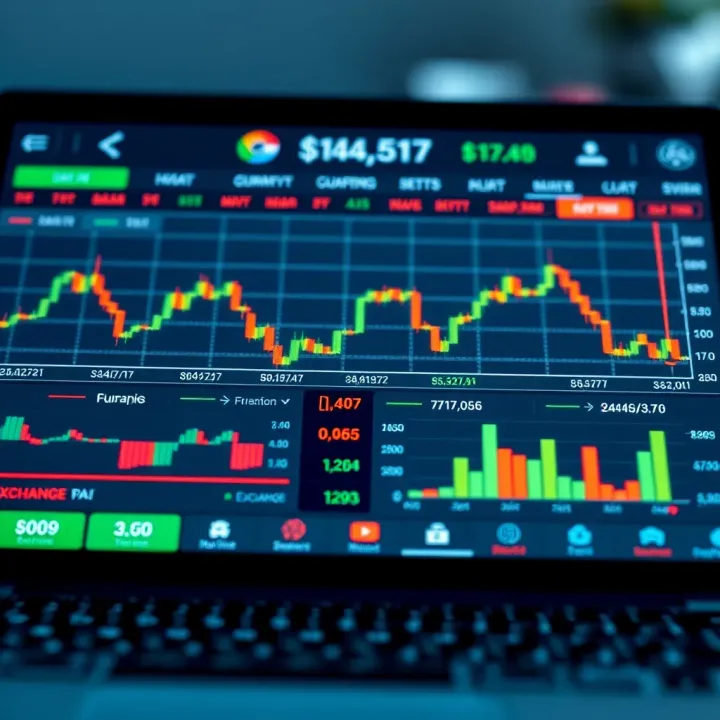
Explore RBI-approved forex trading apps for Indian traders 🇮🇳. Get tips, safety checks, & app features to trade foreign exchange securely and legally 💱📱.
Explore RBI-approved trading apps in India 🇮🇳 Learn why RBI approval matters, how to spot legit platforms, stay secure, and trade confidently.
Based on 11 reviews