
Understanding Qutex Trading: A Clear Guide
💹 Explore Qutex trading with our detailed guide! Learn its features, strategies, risks, and tips for investors in India to trade wisely and securely.
Edited By
Charlotte Mitchell
Choosing the right tablet for stock trading in India is not just about picking a popular brand or the latest model. Traders need devices that combine fast performance, sharp display, reliable connectivity, and smooth app compatibility to stay ahead in volatile markets.
In stock trading, every second counts — the ability to execute orders promptly and monitor real-time data can significantly impact profits and losses. A tablet with a crisp screen helps in analysing charts and candlestick patterns clearly, while stable internet connectivity ensures uninterrupted access to trading platforms like Zerodha Kite, Upstox, or Groww.
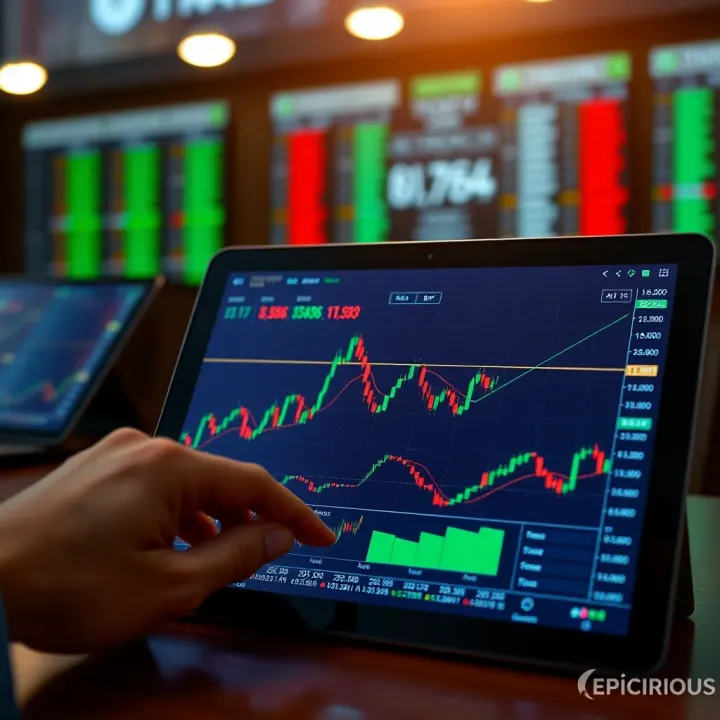
Selecting a tablet combining the right hardware and software features makes trading seamless, reducing lag and trading errors.
Key features to prioritise include:
Display quality: Look for tablets with IPS or AMOLED screens offering at least Full HD (1920x1080 pixels) resolution for clarity under varied lighting conditions.
Processing power and RAM: A quad-core or better processor with 4 GB or more RAM handles multiple tabs, charts, and live feeds without slowing down.
Connectivity: Support for 4G/5G SIM and Wi-Fi ensures smooth, always-on internet crucial for live market updates and order execution.
Battery life: Long battery backup lets you trade confidently over extended hours without scrambling for a charger.
Operating system and app ecosystem: Android and iOS both offer access to popular Indian trading apps; choose a platform you are comfortable with for better workflow.
Understanding these factors upfront helps narrow down choices, saving time and effort. This article will guide you through top tablet options suitable for traders in India and share tips on optimising the device for trading apps, security, and ease of use.
Choosing the right tablet for stock trading hinges on several essential features that impact your ability to monitor markets, execute trades swiftly, and manage data securely. A tablet that combines strong performance with a sharp, clear display and reliable connectivity forms the backbone of an effective mobile trading setup.
A fast processor and sufficient RAM are vital when you run multiple trading apps and track fluctuating stock charts simultaneously. For instance, a tablet with at least a Qualcomm Snapdragon 730 or Apple’s A12 Bionic processor paired with 4GB RAM handles demanding tasks without lag.
This power means your trading apps update instantly, helping you respond before prices move against you. Sluggish performance can cause delays, leading to missed opportunities or poorer decision-making.
Smooth multitasking is equally important. Traders often keep news browsers, charting tools, and messaging apps open together. Tablets with better processing power switch rapidly between these apps without freezing, maintaining workflow efficiency.
Screen size matters a lot for traders who need to view detailed charts and various app windows at once. A tablet with a 10-inch to 12.9-inch display strikes the right balance between space for multiple windows and portability.
High resolution and brightness are key for clarity during long market hours. A 2048x1536 resolution or better ensures crisp, sharp graphs, while brightness around 500 nits makes viewing easy even in bright light or outdoors, avoiding eye strain over extended sessions.
Long battery life ensures your tablet keeps up through the whole trading day without needing frequent recharges. Tablets with a minimum of 8 hours battery endurance let you track markets from morning to evening seamlessly, especially when on the move.
Portability adds to convenience; a lightweight, slim tablet fits into your bag comfortably for travel. Devices weighing under 500 grams reduce fatigue during extended use outside your desk.
Robust Wi-Fi and mobile data support (4G or 5G) ensure constant connection to live market data. If you trade in tier-2 or tier-3 cities where home Wi-Fi may drop, mobile data backup becomes essential to avoid missing critical price changes.
USB-C or HDMI ports help connect peripherals like external keyboards for faster typing or display screens for a multi-screen setup, enhancing trading efficiency.
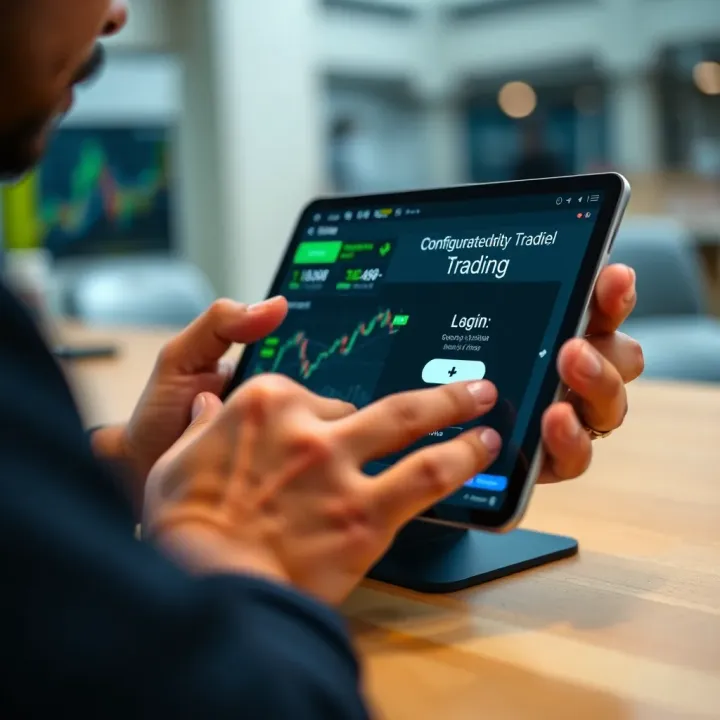
The tablet must support major Indian trading apps like Zerodha Kite, Upstox Pro, or Angel Broking seamlessly. Compatibility ensures smooth installation, timely updates, and full feature use without crashes.
Security cannot be sidelined. Encryption, biometric locks, and secure app environments protect sensitive financial data from unauthorized access or hacking, a must-have for traders handling large sums or private information.
Picking a tablet with the right specs shapes your overall trading experience. Think of these features as the gears driving fast, accurate, and safe trading on the go.
Choosing the right tablet has a direct impact on your trading efficiency, especially in India’s fast-moving market. The tablet you pick must handle multiple apps smoothly, display charts clearly, and keep up with real-time data updates. Let's review some of the popular tablet models traders prefer, highlighting their strengths and how they fit various trading needs.
The iPad Air and iPad Pro both offer excellent performance that traders appreciate. The iPad Pro, with its powerful M1 or M2 chips and ample RAM, handles demanding trading software, multitasking, and multiple open windows without lag. The iPad Air, slightly more affordable, still delivers smooth performance for most trading tasks and is lighter to carry around. If you trade extensively and rely on graphics-intensive charting, the iPad Pro stands out thanks to its high refresh rate and colour-accurate Liquid Retina display.
Apple’s iOS ecosystem supports a wide range of trusted trading apps available on the App Store, from Zerodha Kite to Groww and Upstox. The seamless integration of apps and regular software updates ensure stability and security during trading sessions. Plus, iPads receive timely iOS updates, helping protect your device against malware — an important factor for handling sensitive financial data.
Samsung’s Galaxy Tab S series caters well to traders who prefer Android. These tablets come with vibrant AMOLED screens ideal for viewing detailed charts even under bright daylight. High-end models include powerful Snapdragon processors and generous RAM, which help maintain smooth performance when running heavy trading apps.
Android’s open platform means you have greater flexibility to use a variety of Indian trading apps without restriction. This choice also allows easier installation of APKs for lesser-known or regional trading platforms. Traders who like customising their UI or using peripherals like a mouse or keyboard will find Android tablets handy. For example, the Samsung Galaxy Tab S8 offers 5G connectivity for stable data feeds, which is crucial during market hours.
For day traders and investors on a budget, tablets from Lenovo and Realme strike a good balance between cost and features. These brands offer tablets with decent processors, adequate display quality, and battery life suited for monitoring stock movements over several hours.
While these tablets may not match the performance of flagship devices, they cover everyday trading needs like running popular apps (ICICI Direct, Angel Broking, etc.) smoothly with some limitations on multitasking capacity. Such devices make sense for those starting out in trading or who primarily follow market news and don’t require ultra-fast data processing.
When picking a tablet, weigh your daily trading priorities—speed and display clarity are vital, but so is staying within your budget without compromising key features.
By understanding the strengths and limitations of these tablets, you can choose one that suits your trading approach and keeps you connected to the market efficiently.
Setting up your tablet properly lays the groundwork for hassle-free stock trading. A well-configured device helps you react swiftly to market changes and manage your investments effectively. Especially in India’s dynamic market, this setup ensures your trading apps run smoothly and your workspace is optimised for quick access and minimal distractions.
Many popular Indian trading apps are designed to work well on tablets, but compatibility varies depending on your device’s operating system. For instance, apps like Zerodha Kite, Upstox Pro, and Angel Broking offer dedicated Android and iOS versions. This means if you pick an Apple iPad, you gain access to the rich iOS ecosystem, where these apps are well-optimised. On the other hand, Android tablets like Samsung Galaxy Tabs support many Indian trading platforms but sometimes have fewer features or require sideloading. Always check app reviews and update notes to confirm they support your tablet model.
Smooth installation and regular updates are essential to avoid glitches during live trading sessions. It’s best to download apps directly from Google Play Store or Apple App Store to minimise security risks. Also, keep your tablet’s firmware updated, as this affects app performance and security. If your trading app offers offline features, test those to ensure uninterrupted access even if your internet falters.
Trading often demands juggling multiple screens in one go, like charts, news, and brokerage platforms. Modern tablets support split-screen or multi-window modes, letting you view two or more apps simultaneously. For example, you can monitor NSE market trends on an app while tracking your portfolio in another window. This multitasking helps you respond faster instead of flipping between tabs.
Peripherals like Bluetooth keyboards or styluses can boost your efficiency. Typing long orders or notes becomes less tiresome with a keyboard attachment. Meanwhile, a stylus lets you annotate charts or highlight key information with precision. Devices such as the Apple Pencil for iPads or the Samsung S Pen for Galaxy Tabs integrate seamlessly, improving your control and reducing errors caused by finger taps.
Two-factor authentication (2FA) is a must-have measure for securing trading accounts. Most Indian trading apps and platforms allow you to set up 2FA using SMS OTPs, authenticator apps like Google Authenticator, or biometric options if supported by your tablet. This extra step prevents unauthorised access even if your password is compromised.
Using a Virtual Private Network (VPN) or at least ensuring a secure internet connection is critical when trading. Public Wi-Fi hotspots at cafes or railway stations might expose your sensitive data. A VPN encrypts your internet traffic, adding an extra layer of security. For instance, many traders in India use VPNs when connecting from railway stations or during business trips to avoid hacking risks.
Setting up your tablet carefully helps ensure smooth, efficient, and secure trading — essentials for staying ahead in India's competitive stock market landscape.
Trading on a tablet demands more than just picking the right device. Practical habits and setups can make a noticeable difference, especially in India's fast-moving stock markets. This section aims to equip you with actionable tips to stay ahead, handle device limitations, and manage data efficiently during those crucial trading hours.
Staying updated with market movements is non-negotiable for traders. Financial news apps like Moneycontrol, ET Markets, and Bloomberg Quint are popular among Indian traders. These apps provide real-time stock prices, breaking news, and expert analysis. Setting up custom alerts can help you monitor key stocks or indices without constantly checking the tablet. For instance, you can get instant notifications when Sensex crosses a particular level or if there’s a corporate announcement impacting your portfolio.
The trick is to balance notifications; too many alerts can distract or drain your device’s battery. Select alerts that really matter to your trading strategy, such as changes in Nifty futures or RBI policy updates. This helps you act promptly without cluttering your screen or data.
For Indian traders, keeping an eye on the National Stock Exchange (NSE) and Bombay Stock Exchange (BSE) updates is key. Most trading platforms on tablets like Zerodha Kite or Groww include built-in market feeds from these exchanges. Apart from the trading app, you can also install dedicated NSE and BSE apps or add their feeds into your watchlist.
By integrating these updates, you get direct access to market depth, order book changes, and live index tracking. This helps you make informed decisions quickly, such as spotting trends before they become obvious or reacting swiftly to circuit breakers. Having both NSE and BSE information handy on your tablet ensures you don’t miss out on opportunities across India’s two major exchanges.
Trading sessions can stretch for hours, so conserving your tablet’s battery is critical. Simple tweaks such as lowering screen brightness or turning off unnecessary background apps can stretch your device’s uptime. Using 'Battery Saver' mode and limiting push notifications to essential apps helps too.
If you use peripherals like a Bluetooth keyboard or stylus, turn them off when not needed. Also, closing trading charts or platforms you aren’t actively using reduces CPU load and heat generation, preventing battery drain. Planning your session locations near charging points or carrying power banks ensures you aren’t caught off guard.
A seamless trading experience depends on steady internet, so picking the right data plan is crucial. Indian telecom providers like Jio, Airtel, and Vodafone Idea offer various prepaid and postpaid plans with high-speed 4G and growing 5G coverage.
Look for plans offering a good balance of speed and data volume. Unlimited plans with FUP (Fair Usage Policy) usually work well, but consider local network reliability in your city or town. For instance, Jio is strong in metro areas, while Airtel sometimes provides better coverage in certain rural regions. Combining your tablet with a portable Wi-Fi hotspot or a SIM supporting VoLTE can also improve connectivity during busy trading hours.
Selecting the right tablet is just the start. Efficiently managing your device and staying updated in real time can make or break your trading game in India’s competitive market.
💹 Explore Qutex trading with our detailed guide! Learn its features, strategies, risks, and tips for investors in India to trade wisely and securely.
📊 Discover Quotex trading hours in India! Learn how Indian time zones align, factors affecting schedules, and tips to optimize your trading sessions effortlessly.
Explore QXBroker's trading platform in India 🌏. Get insights on features, account types, fees, security, & customer support to trade smarter 🔒💹.
Explore QXBroker app's key features, trading tools, account options, security, and support to see how it meets the needs of Indian traders 📊📱🔒
Based on 10 reviews