
Understanding Qutex Trading: A Clear Guide
💹 Explore Qutex trading with our detailed guide! Learn its features, strategies, risks, and tips for investors in India to trade wisely and securely.
Edited By
Charlotte Kingston
Trading today demands flexibility and timely access to reliable data. Many investors and brokers are turning to iPads as their preferred devices because of their portability and efficiency. Whether you are monitoring the Sensex real-time or analysing charts for commodities trading, the right iPad can make a significant difference in your workflow.
Choosing the best iPad for trading revolves around several key features: processing speed, display clarity, battery life, and app compatibility. For instance, traders using apps like Zerodha Kite, Upstox, or Moneycontrol require smooth multitasking and high responsiveness to react swiftly to market changes. A lag or delay during crucial moments can cost lakhs or even crores.
Display size and resolution play a crucial role when you are staring at candlestick patterns and order books for hours. A larger screen with accurate colour rendition helps reduce eye strain and allows more comprehensive chart views without constant zooming. The portability itself is important too: an iPad that is too bulky becomes cumbersome during travel or daily commutes, while a lighter, compact model fits better in briefcases or handbags.
App ecosystem is another major consideration. The Apple App Store boasts a range of trading and analysis tools optimised for iPads, which many Indian traders rely on. From interactive charting platforms to instant news updates, your device should support these applications without compatibility hiccups.
Remember, the “best” iPad for trading depends on your style and requirements. A full-time trader needing heavy charting and quick trades might benefit from a different model than a casual investor who tracks portfolios and reads market news.
In the following sections, we will break down iPad models available in India today, highlighting their strengths and weaknesses for trading-specific use cases. The goal is to help you make an informed choice aligned to your trading needs and budget.
Next up: Understanding key iPad features relevant for trading.
Choosing the right iPad for trading means looking beyond just price or brand name. Traders need specific features that support real-time data access, smooth multitasking, and long hours of use without hiccups. For instance, if your stockbroker app takes too long to update or if charts lag during crucial market hours, you could miss opportunities. Therefore, understanding core aspects like performance, display, battery life, and connectivity is essential before making your purchase.
The processing power directly affects how fast the iPad responds to market alerts, runs complex trading apps, or handles multiple tasks like live charts, news feeds, and order placements simultaneously. iPad models powered by Apple’s latest chips (like the M2 or A14 Bionic) offer snappier performance. For example, an intraday trader monitoring 10 stock movements at once needs a device that won’t freeze or stutter, otherwise, the delay can cost dearly. Also, smooth performance helps while using technical analysis tools without lag.
A sharp, clear display reduces eye strain and improves how you interpret intricate charts and candlesticks. Retina displays, especially those on iPad Pro and iPad Air, provide excellent colour accuracy and brightness, important for viewing data in different lighting conditions—even in bright office spaces during daytime. Size matters too: 11 inches is handy for portability, but a 12.9-inch iPad Pro offers more screen real estate for detailed charting without constantly zooming in and out.
Long battery life ensures you won’t be hunting for a charger during market hours, particularly when you’re travelling or in remote locations. Models known to last a full trading day (around 10 hours or more) suit traders who are often on the move. At the same time, a lightweight design helps in carrying the iPad easily to meetings, seminars, or client visits, offering a perfect balance of power and portability.
Stable and fast internet connection is the backbone for online trading. iPads with both Wi-Fi and cellular (4G/5G) options allow uninterrupted market access—critical when networks drop out unexpectedly. Plus, having Bluetooth and USB-C ports helps connect peripherals like keyboards or external monitors, which can enhance your overall trading setup. Remember, anything that improves speed and reliability of your trades is worth considering.
Picking the right iPad model involves matching your trading style and workload with these key features. Prioritise performance and battery for heavy users, display quality for detailed analysis, and connectivity if you need access anywhere, anytime.
With these essentials in mind, you can navigate the crowded iPad market more confidently and select the model best suited for your trading needs.
Choosing the right iPad model for trading depends largely on your specific trading needs, budget, and how much portability you prefer. Comparing popular iPads side by side helps traders pick devices that balance performance, screen size, and price effectively. This way, you avoid overspending on features you don't need or ending up with a device that can't keep up during volatile market situations.
The iPad Pro line stands out with its powerful M2 chip, which offers smooth multitasking and quick financial data processing – a must for active traders tracking multiple indices or charts simultaneously. Its large Liquid Retina XDR display with ProMotion technology means charts and candlestick graphs look sharper and more responsive. For example, traders using complex platforms like Zerodha Kite or Interactive Brokers will find the extra horsepower and screen real estate very handy, especially when they use split-screen or multiple tabs.
The iPad Pro also supports the Apple Pencil 2nd generation, making note-taking or drawing trend lines straightforward. Battery life is robust, lasting almost a full trading day even with heavy use. However, the price tags are high, starting around ₹85,000, which might not suit every trader’s budget.
The iPad Air hits a sweet spot for many traders. Powered by the M1 chip, it provides excellent performance for most trading apps without the premium cost of the Pro. The 10.9-inch Liquid Retina display offers good colour accuracy and brightness – crucial for reviewing market data in varied lighting, such as during early morning commutes.
It's lighter and more portable than the iPad Pro, making it comfortable for quick trades on the move. While it lacks the Pro’s 120Hz refresh rate, casual day traders or investors who demand decent performance and portability will find this model sufficient. The ₹55,000 price point makes it quite attractive for those looking to upgrade from standard iPads.
The standard iPad is the most affordable option, starting under ₹30,000. While it features an A13 Bionic chip, which is competent for basic trading apps like Upstox or Angel Broking, it may struggle with heavy multitasking or graph-intensive platforms. The 10.2-inch Retina display is serviceable but lacks the sharpness and brightness of the higher models, which can affect viewing clarity, especially outdoors.
For beginners or occasional traders who prefer a budget-friendly tablet, the standard iPad offers decent value but may fall short for power users needing real-time analytics or multiple app windows.
The iPad Mini offers ultimate portability with its compact 8.3-inch screen and the newer A15 Bionic chip. It's perfect for traders who travel frequently or need a pocket-friendly device for quick order placements and market checks. However, the compact screen size can limit the comfort of analysing detailed stock charts or using multiple apps.
Its performance can handle most trading apps smoothly, but the smaller display means constant zooming and scrolling, which might slow down those who rely on detailed technical analysis. The price sits around ₹55,000, similar to the Air, but the choice boils down to your preference for screen size versus portability.
Comparing iPads helps traders balance cost, performance, and convenience. The Pro suits professionals needing the best, Air serves most traders well, the standard iPad appeals to budget-conscious users, and the Mini is ideal for maximum portability.
Each model has its trade-offs, so assess your trading style and daily routine before deciding. This approach ensures you invest in a device that supports your market activities efficiently without unnecessary expenditure.
Selecting the right trading apps is as vital as choosing the iPad model itself when it comes to online trading. A powerful device means little if your preferred apps don’t run smoothly or lack key features. Traders need to ensure that the apps they use are well-optimised for iPads, taking advantage of the touchscreen, retina display, and Apple’s security ecosystem.
Several Indian trading apps have tailored their interfaces for the iPad, offering a blend of speed and usability. Zerodha’s Kite app stands out for its clean layout and smooth charting tools, making it a top choice among retail traders on iPads. Another contender is Upstox Pro, which supports quick order placements and real-time market data, crucial for intraday traders. For those more focused on commodities and currency derivatives, Angel Broking’s SmartAPI provides an intuitive experience on iPads.
These platforms support UPI payments for fund transfers, making buy-sell orders hassle-free on the go. Also, the apps have security measures like biometric login compatible with Face ID and Touch ID on iPads, providing peace of mind for sensitive transactions.
If you trade in international markets or stocks listed on NASDAQ or NYSE, apps like Interactive Brokers, TradingView, and MetaTrader 5 are fully functional on the iPad. These apps come with advanced charting, global news feeds, and automated trading options. Their compatibility with iPadOS means traders get a near-desktop experience without lugging a laptop.
Moreover, the Apple Pencil support on iPad Pro and Air adds value when using apps like TradingView for drawing trend lines and marking support/resistance levels.
When choosing a trading app for your iPad, look out for:
Real-time Data: Delays can cause losses, so ensure the app provides up-to-the-minute quotes.
Charting Tools: Candlestick patterns, technical indicators, and drawing features should be comprehensive and user-friendly.
Order Types: Support for limit, market, stop-loss, and bracket orders helps in better trade control.
Offline Access: Apps that save watchlists or charts offline help when the network drops unexpectedly.
Security Protocols: Two-factor authentication and device-level biometric options protect your account.
Push Notifications: Alerts about price movements, order statuses, and news keep traders instantly informed.
A trader’s app environment must be fast, secure, and reliable. Unsuitable apps can slow down decision-making and impact profitability.
Ultimately, pairing the right iPad with well-designed trading software gives you the agility to react quickly in markets. Whether you rely on domestic platforms like Zerodha Kite or international ones like Interactive Brokers, the combination should support your trading style seamlessly on the iPad.
Using an iPad efficiently for trading isn’t just about picking the right model—it’s equally about managing security, battery life, and making smart accessory choices. These practical tips help traders protect sensitive data, stay connected during market hours, and enhance their overall trading experience on the go.
Trading involves handling confidential financial information, so securing your iPad is non-negotiable. Always use a strong passcode combined with Face ID or Touch ID to keep unauthorized users out. Enable two-factor authentication on your trading apps and Apple ID for an extra layer of security.
Keeping your apps and iOS updated is crucial; these updates often patch security flaws. Consider setting up a VPN (Virtual Private Network) when trading over public Wi-Fi, like in cafés or airports—this encrypts your connection and protects your data from prying eyes.
Also, back up your iPad data regularly using iCloud or your computer. Losing trade information due to device damage or theft can be painful, so continuous backup prevents data loss.
Remember, one careless tap on a suspicious link can compromise your entire financial portfolio. So, always be alert.
Long trading sessions demand reliable battery life. Lower the screen brightness when possible, turn off background app refresh for non-trading apps, and enable Low Power Mode during heavy use. For instance, while tracking the Sensex live, these settings can keep your iPad powered throughout market hours.
Mobile data or Wi-Fi interruptions can cause missed trades. To avoid this, test your internet speed before trading, and if possible, keep a mobile hotspot handy or use telecom providers with strong coverage in your area. Apps like Network Cell Info Lite help check signal strength in real time.
Closing unused apps reduces processing load and saves battery too. Schedule heavy downloads or updates for after market hours to avoid disruptions.
Accessories can transform how you trade on an iPad. A Bluetooth keyboard helps enter orders faster than tapping on-screen. For example, using Apple Magic Keyboard with an iPad Pro makes executing trades quicker and more precise.
Consider investing in a stylus like the Apple Pencil to annotate charts smoothly or highlight key data points. A sturdy iPad stand improves ergonomics, keeping your screen at eye level and freeing your hands for faster interactions.
Noise-cancelling earphones can help you focus during trading hours, especially in noisy environments like busy home offices or public spaces.
Also, a portable power bank ensures you never run out of juice during critical market moments. Look for one with fast charging and enough capacity to refill your iPad multiple times.
These simple strategies improve your trading efficiency and reduce stress, making your iPad an effective tool for managing investments from anywhere.
Choosing the right place to purchase your iPad for trading can save you thousands and also ensure genuine quality. Price matters a lot, especially with technology products that have various models and configurations. Buyers in India must weigh convenience, authenticity, warranty support, and after-sales service while making the purchase. This section breaks down practical buying options along with pricing insights to help you pick the best deal.
Buying from official Apple Stores or authorised dealers guarantees you get a genuine product with valid warranty and support. Apple’s flagship stores in cities like Mumbai, Delhi, Bengaluru, and Chennai provide a range of iPads with expert advice. Authorised dealers, such as Imagine or Unicorn, also offer certified devices and occasionally bundle offers including AppleCare or accessories.
The advantage here is peace of mind—if something goes wrong, you have direct access to authorised service centres. While prices might be marginally higher compared to online platforms, you avoid counterfeit products or grey imports that can cause headaches later. For traders relying on their device heavily, this reliability matters a lot.
E-commerce platforms like Flipkart and Amazon India offer competitive pricing and frequent discounts on iPads. Trusted sellers and official Apple storefronts on these sites maintain product authenticity. You can often pick up the latest iPads during festive sales like Diwali or Big Billion Days at prices significantly lower than offline stores.
However, buyers must be cautious. Verify seller ratings, GST details, and return policies before purchasing. Avoid unknown third-party sellers offering devices at suspiciously low rates—they may lack official warranty or provide refurbished units.
Using platforms like Google Pay or PhonePe wallets sometimes comes with cashback offers, bringing down the net purchase cost further. Combine that with no-cost EMI options available on most cards to manage cash flow better.
iPads for trading come in a wide price spectrum, roughly from ₹30,000 for entry-level models to over ₹1,20,000 for top-end iPad Pros. Your choice should balance performance requirements versus budget constraints.
For most retail investors and traders using Indian platforms like Zerodha Kite or Upstox Pro, the iPad Air or standard iPad models provide ample processing power and display quality at a reasonable price. The high-refresh Pro models with M2 chips are better suited for professional analysts running multiple real-time charts and apps.
Picking the right iPad isn’t just about the lowest price; consider warranty, after-sales service, and how the device fits into your trading routine before deciding.
Trade-off between upfront cost and long-term reliability should guide your decision. Remember, a dependable device helps you avoid costly disruptions during critical market hours.
💹 Explore Qutex trading with our detailed guide! Learn its features, strategies, risks, and tips for investors in India to trade wisely and securely.
📊 Discover Quotex trading hours in India! Learn how Indian time zones align, factors affecting schedules, and tips to optimize your trading sessions effortlessly.
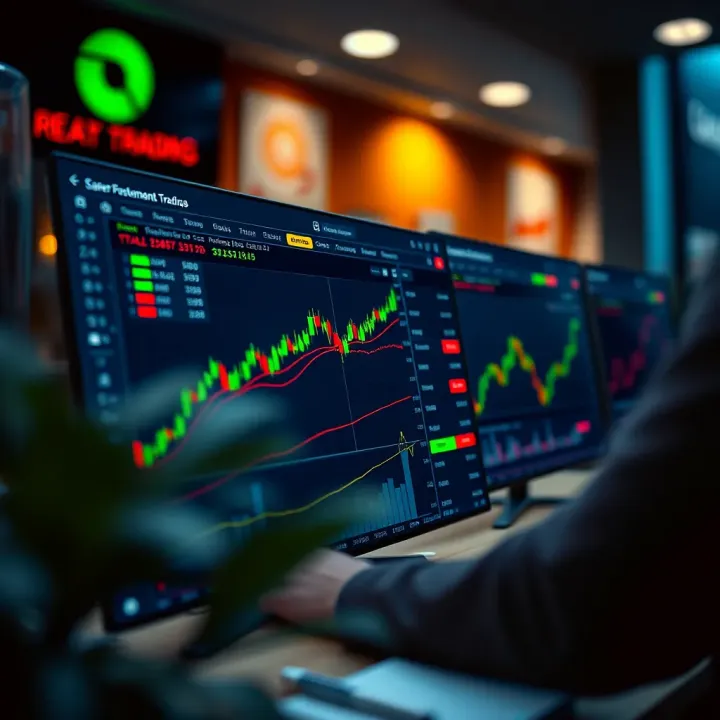
Explore QXBroker's trading platform in India 🌏. Get insights on features, account types, fees, security, & customer support to trade smarter 🔒💹.
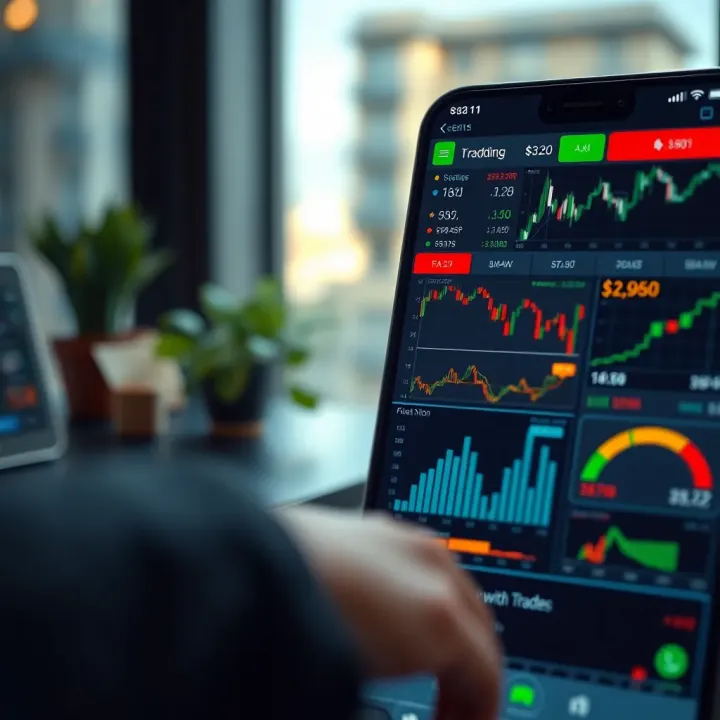
Explore QXBroker app's key features, trading tools, account options, security, and support to see how it meets the needs of Indian traders 📊📱🔒
Based on 5 reviews